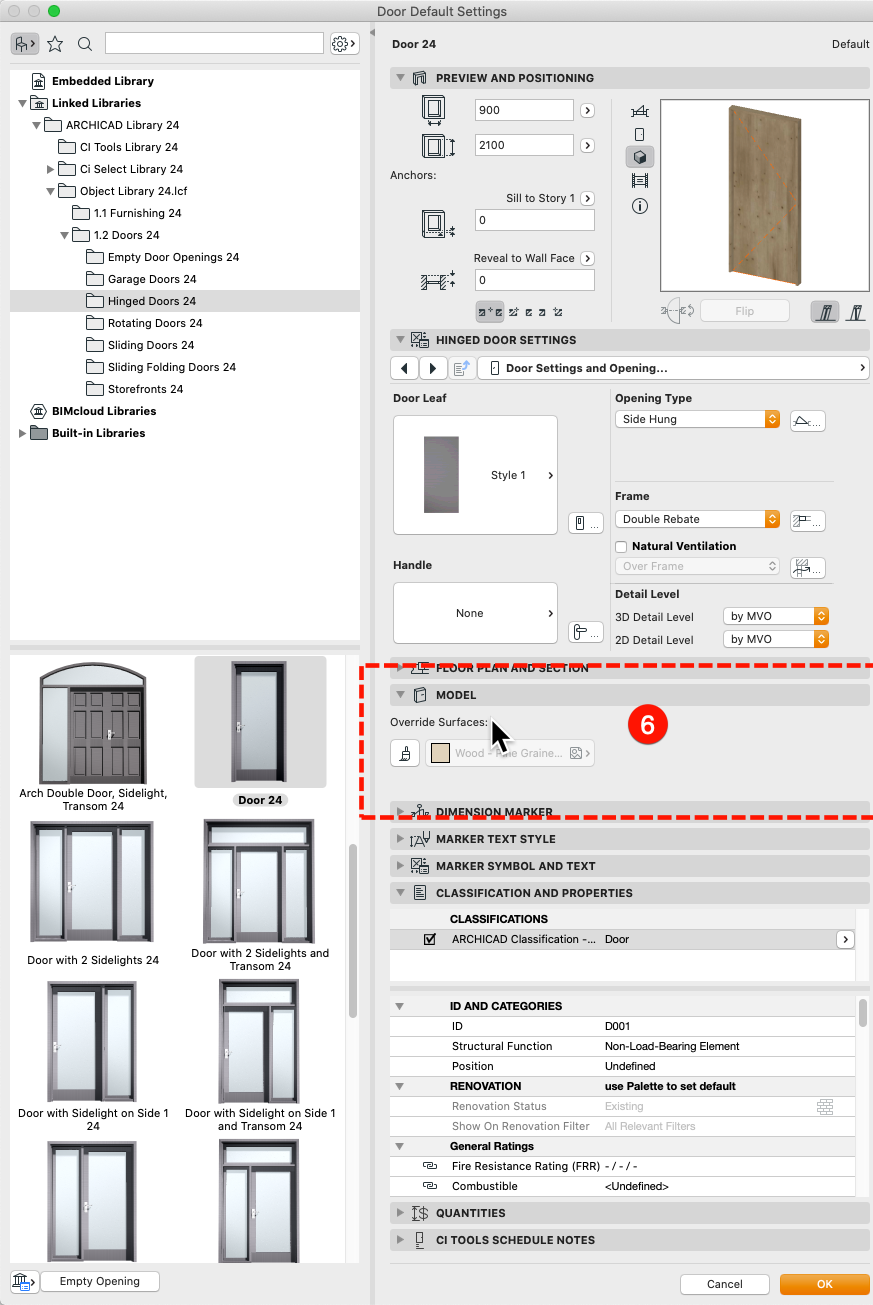
Issue description
If you have a door or window showing a uniform surface and you've set all the correct attributes you may have the model override on.
Solution
Follow the steps below to turn on the Model options in your Door Selection Settings.
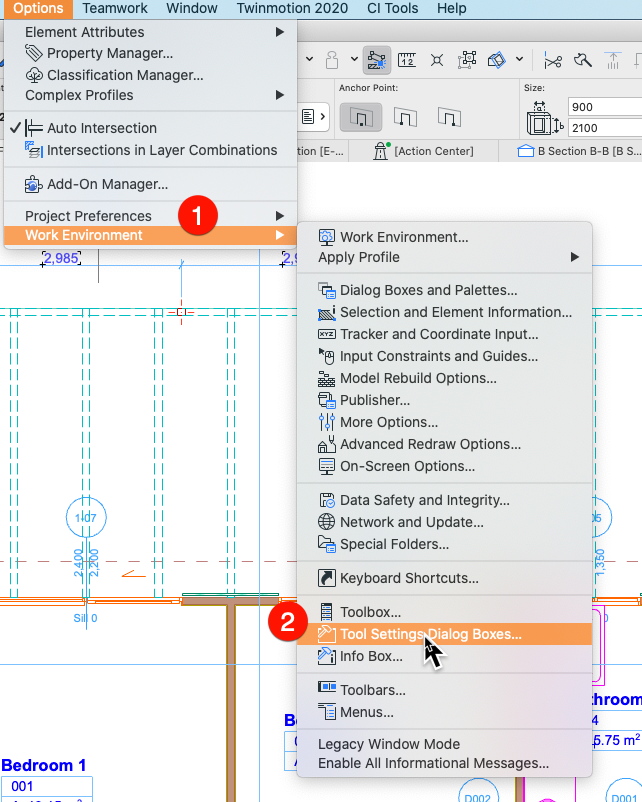
- In Archicad go to Options > Work Environment > Tool Settings Dialog Boxes
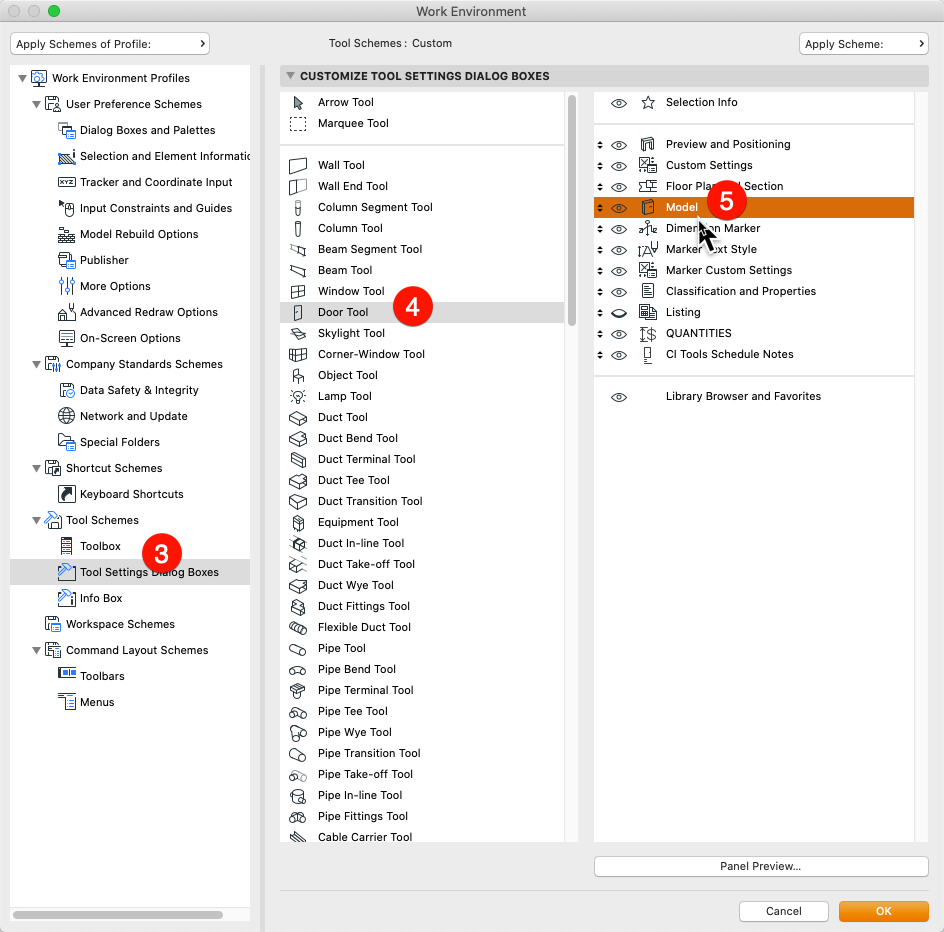
- In the Work Environment window select Tool Settings Dialog Boxes on the left Column, Door Tool in the middle column and then turn on Model in the right column
(Repeat for the Window Tool if needed) - In the Door / Window tool you will now see the Model options to override surfaces for the Door or window tool