Issue Description
The steps for importing point clouds were followed, but the object is still appearing in the incorrect place.
Solution
Reposition the point cloud to the project origin with this workflow:
- Select the point cloud object.
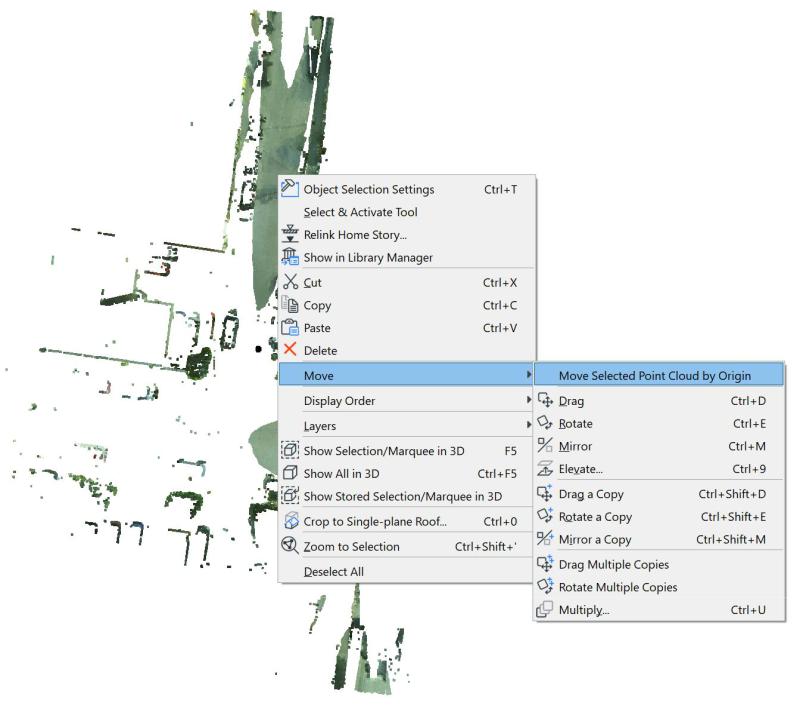
- Right-click on the point cloud object, select Move > Move selected point cloud by origin
- Scroll out until you see the project origin 'X' and click on it.
TIP: You can use Point clouds in combination with the native survey point.